






 Help Center


- Introduction
- Is This You? Quick Self-Diagnosis
- Why Amazon Sales Drop: The Real Causes
- What This Sales Drop Is Actually Costing You
- How to Recover an Amazon Sales Drop: The Fix Sequence
- What Most Sellers Miss When Amazon Sales Are Dropping
- When It Makes Sense to Bring in Expert Help
- Frequently asked questions
- The Bottom Line
Introduction
Your sales were moving. Then they weren’t. You checked your listing, and nothing looks wrong. But the numbers keep sliding, and you’re not sure if this is a bad week or something much worse.
If Amazon sales have dropped and your listing is losing visibility, this page is for you. We’re going to break down exactly why this happens, how to figure out which problem you’re actually dealing with, and the steps to turn it around. No generic tips. No ‘optimize your title’ advice you’ve already tried.
The sellers who recover fastest are the ones who diagnose correctly first. So let’s start there.

Is This You? Quick Self-Diagnosis
Before we get into causes, check how many of these match your last 30 days:
- Amazon sales dropped, and traffic is down at the same time
- My product was selling, but now it’s not, even though nothing changed
- Impressions dropped on the Amazon listing week over week
- Amazon listing is losing visibility on my main keywords
- Sessions are down, but the conversion rate looks the same
- BSR is slowly creeping up (getting worse) without an obvious reason
- PPC is still running, but organic sales have gone quiet
- A competitor recently showed up above me on my hero keyword
If two or more match, you are in the right place. The cause is almost always one of three things, and each one needs a different fix.
Why Amazon Sales Drop: The Real Causes
Most articles will give you 10 to 17 reasons and call it a day. That’s not useful. At the stage you’re at, a sudden drop in Amazon sales comes from one of three root causes. Sometimes two are stacked together. Rarely all three.
Cause 1: Visibility Collapse (Your Ranking Dropped)
This is the most common reason Amazon sales drop for sellers who were previously doing well. Your listing used to sit on page 1 for your main keyword. Now it’s on page 2 or lower. Fewer shoppers find you. Fewer people buy.
Here’s what makes this tricky. Amazon’s A9 algorithm doesn’t just reward your absolute sales volume. It measures your sales velocity relative to other listings competing for the same keyword.
If a competitor runs a promotion, gets a wave of reviews, or improves their conversion rate, they can pass you in the rankings even if your own numbers didn’t change.
You didn’t get worse. The shelf got more competitive.
How to spot it: Open Business Reports and look at sessions (not orders, sessions). If sessions dropped by 20% or more, your ranking likely fell. Confirm by searching your main keyword from a logged-out browser and checking your position.
How to check your Amazon organic rank
Cause 2: Conversion Rate Fell While Traffic Held
This one is quieter and more confusing. Your sessions stayed flat or even went up, but orders went down. That’s a conversion problem, not a visibility problem.
Your unit session percentage (Amazon’s name for conversion rate) used to sit at 15%. Now it’s at 9%. That gap is costing you real money every day.
Conversion ceilings usually come from one of three things:
- A competitor changed their main image, and now yours looks weak next to theirs in search results
- Your review ratio shifted (a 4.6 to 4.3 drop matters more than most sellers realize)
- A price gap opened up while you weren’t tracking the competition
Most sellers check their own listing. They rarely look at the search result the way a buyer would, three thumbnails sitting next to each other. That’s where you’ll see the problem.
Why your Amazon conversion rate is dropping
Cause 3: Indexation Loss or Listing Suppression
Sometimes the issue isn’t ranking or conversion. Sometimes Amazon has partially or fully removed your listing from search results, and you don’t know it.
Listing suppression can happen from a policy flag, a category restriction change, or a backend detail issue. Indexation loss happens when keywords you were previously ranking for are no longer showing your listing at all.
You can check indexation by searching: [your ASIN] [keyword] in the Amazon search bar. If your listing doesn’t appear, you’re not indexed for that term.
Suppression is less common but can kill sales overnight. Check your listing status in Seller Central under ‘Manage Inventory’ and look for any warnings or flags.
Cause 4: External Market Shifts You Haven’t Tracked
Sometimes your listing is fine, and the market has changed. A well-funded new entrant. An aggregator that bought a top competitor and started running aggressive ads. A seasonal shift that moved demand away from your category.
You can’t optimize your way out of a structural shift. But you can recognize one, which changes whether the right move is a listing fix or a full relaunch strategy.
What This Sales Drop Is Actually Costing You
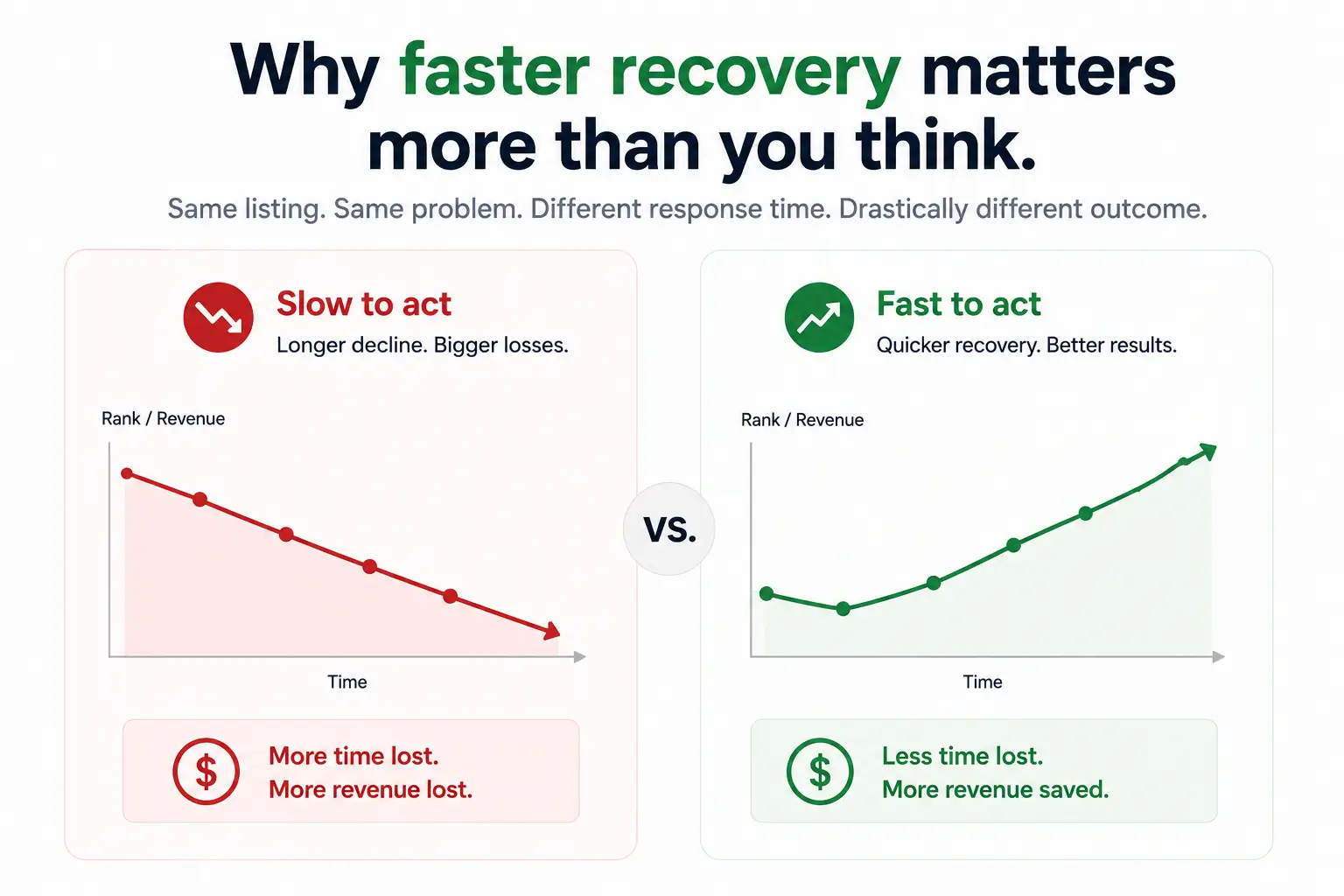
Let’s make this concrete.
Say you were doing $60k a month at a 20% net margin. That’s $12k in monthly profit. A 30% sales drop cuts your profit by $3,600 a month. Over three months of inaction, that’s more than $10,000 in lost profit, not counting the compounding effect on your rank.
Here’s what most sellers don’t factor in: Amazon’s algorithm rewards trajectory. A listing that’s been declining for 60 days gets de-prioritized against listings showing upward movement.
The longer you stay down, the harder recovery gets because you’re fighting both the drop and the algorithmic penalty for having dropped.
The compounding rank decay is the part that stings most. You’re not just losing sales today. You’re losing the organic rank that will take months to rebuild once you’ve let it slide.
Key Insight: Staying flat on Amazon isn’t neutral. It’s a slow ranking tax. Listings that don’t show upward velocity get de-prioritized over time, even if they aren’t actively losing rank.
How to Recover an Amazon Sales Drop: The Fix Sequence
There’s no universal 10-step checklist. There’s a sequence, and if you skip a step, you waste time and budget on the wrong layer. Here’s how to work through it.

Step 1: Diagnose Which Problem You’re Actually Dealing With
Pull three numbers from the last 60 days in Business Reports:
- Sessions (Detail Page Sales and Traffic by Child Item)
- Unit Session Percentage (this is your conversion rate)
- Organic rank for your top 5 keywords (check from a logged-out browser or use a rank tracker)
Compare each to the same 60-day window from three months ago. The number that dropped the most tells you what to fix first.
- If sessions dropped: visibility problem.
- If sessions are held but the unit session percentage drops: conversion problem.
- If both are stable but orders are down: indexation or suppression issue. Don’t skip this step.
Step 2: Fix the Actual Bottleneck, Not Just the Listing
Most sellers instinctively rewrite the whole listing when sales drop. That’s usually wrong, and it can make things worse if the algorithm has already indexed your old content.
If it’s a visibility problem: Audit your keyword indexation gaps first. Find keywords you should rank for but don’t. Run a focused rank push on the two or three terms one tier below your hero keyword. Those move faster and feed your main keyword’s performance once they gain traction.
If it’s a conversion problem: Start with your main image and star rating, not your copy. Your main image and your review score decide roughly 80% of whether a shopper clicks at all. A fresh main image can move conversion by 15-25% on a tired listing.
If it’s an indexation or suppression issue: Fix the back-end issue first. Check for policy flags in Amazon Seller Central, update any restricted attributes, and verify your listing is live in all targeted marketplaces before touching anything else.
Step 3: Check Your PPC Data for Organic Signals
Pull your TACOS (Total Advertising Cost of Sales) over the last 60 days. If TACOS is going up and revenue is flat or dropping, you’re using paid traffic to prop up a listing that’s losing organic rank.
More PPC won’t fix this. It just masks it and costs you more margin while the organic problem gets worse.
Look at your Search Term Report. Which converting keywords have dropped in impression share over the last 30 days? Those are the keywords losing rank. That’s your target list.
How to read your Amazon Search Term Report
Step 4: Run a Velocity Push Once the Fix Is In
After you’ve addressed the root cause, Amazon’s algorithm still needs to see that your listing is back on an upward trajectory. Fixing the listing doesn’t automatically tell the algorithm to restore your rank. Sales velocity does.
A 30-day velocity push usually involves tightening your PPC bids on recovering keywords, running a short price test to boost conversion, and if your category allows it, an external traffic burst from email, social, or a deal site to spike sessions.
The goal isn’t a better-looking listing. The goal is a listing that’s clearly moving up in Amazon’s eyes. Those are different things.
Step 5: Decide If This Is a Fix or a Relaunch
Sometimes the math says rebuild from zero. If your conversion rate is below 8%, your main keyword is on page 2 or worse, and your star rating is below 4.3, you’re trying to revive a listing Amazon has already made a decision about.
In that case, a full product relaunch is faster than another six months of incremental fixes. New main image, fresh title str
What Most Sellers Miss When Amazon Sales Are Dropping
Insight 1: Impressions Dropped on Your Listing Before Sales Did
Most sellers notice the sales drop and work backward from there. But impressions usually fall first, sometimes days or weeks before orders decline. If you’re not watching impressions regularly in your Sponsored Products data or organic rank tracker, you’re always reacting late.
Set up a weekly check of impressions alongside sessions. A 15-20% drop in impressions week over week is a warning sign you should act on before it becomes a sales problem.
Insight 2: The Unit Session Percentage Threshold Effect
Amazon’s ranking system appears to treat conversion rate as a step function in many categories, not a smooth scale. In practical terms, a listing converting at 9.5% and one at 10.5% aren’t ‘basically the same.’ They may be on opposite sides of a ranking decision.
If your unit session percentage is hovering between 9% and 11%, pushing it to 13% or above is worth more than any keyword change you could make right now. [STAT TO VERIFY, thresholds vary by category]
This is the insight that separates sellers who recover fast from sellers who keep tweaking copy and wondering why nothing moves.
Quick Diagnosis: If your unit session percentage is below 10% AND your sessions dropped, fix conversion first. The algorithm rewards conversion improvement faster than keyword changes at this stage.
When It Makes Sense to Bring in Expert Help
If you’re past $30k a month, the cost of staying in a sales drop is almost always higher than the cost of professional help. Six weeks of delay can mean $15k to $30k in lost revenue, depending on your category and margin.
The real value of bringing in an agency at this stage isn’t the tactics. You probably know most of them. It’s the speed of diagnosis and the ability to run all three recovery levers (listing, PPC, velocity push) as one coordinated effort instead of three separate experiments that interfere with each other.
If you’ve been treating visibility, conversion, and velocity as separate problems, that’s likely part of why the needle isn’t moving.
FAQ
1. Have Amazon sales dropped for everyone, or just my listing?
Category-wide drops happen after seasonal shifts, but if competitors are still selling and you’re not, the issue is likely your listing. Check what changed on the drop date.
2. Why did my Amazon sales drop suddenly with no warning?
Sudden sales drops usually come from keyword rank loss, a listing/policy issue, or a competitor promotion. Check Seller Central and compare session data before the drop.
3. My product was selling, but now it's not. Should I lower the price?
Don’t lower the price first. If sessions dropped but conversion is healthy, the issue is ranking, not pricing. Diagnose before changing price.
4. How long does it take to recover from an Amazon sales drop?
Most listings recover in 30–60 days with the right fixes. Conversion issues improve faster; ranking recovery usually takes longer.
5. Can impressions dropping on my Amazon listing cause a sales drop?
Yes. Lower impressions mean fewer clicks and orders. Sponsored impression drops point to ad issues, while organic drops usually mean ranking loss.
The Bottom Line
If Amazon sales have dropped and your listing is losing visibility, the answer isn’t more tactics applied randomly. It’s identifying whether you have a visibility problem, a conversion problem, or a listing health issue, and then fixing that specific thing in the right sequence.
Diagnose first. Fix the actual bottleneck. Then push the velocity so the algorithm sees your listing on the rise. That’s how sellers at your level get back on track.
If you’d rather have someone run the diagnosis and recovery push for you, that’s what we do.


