








 AMZ Sales Booster

















 Avg. +47% organic sales
 HELP CENTER



- Why You See an “Approval Needed Amazon” Message
- What Does Approval Needed Mean on Amazon
- Common Reasons Your Amazon Order Requires Approval
- Types of Amazon Order Approvals You Might Encounter
- What to Do When Your Amazon Order Says “Approval Needed”
- How to Approve an Amazon Order Step by Step
- How Long an Amazon Approval Needed Order Usually Takes
- Common Mistakes to Avoid
- Approval vs Decline: Know the Difference
- Why This Difference Matters
- How Approval Rules Differ for Business and Personal Accounts
- Can Approval Affect Delivery and Availability?
- Preventing Future Approval Delays
- Final Thoughts: What You Should Do Now
- Frequently asked questions
Why You See an “Approval Needed Amazon” Message
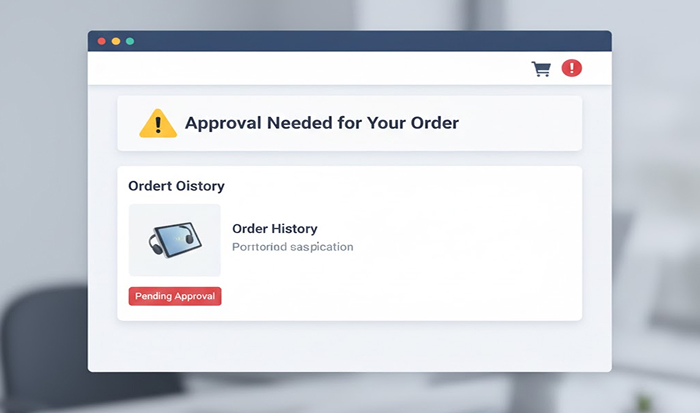
Seeing an “approval needed” message on Amazon can be confusing, especially when you’re ready to place an order, and everything else appears normal. Many users assume this message means there is a payment failure or a technical error, but in most cases, that is not true. When approval needed amazon appears during checkout or in your order status, it simply means Amazon has temporarily paused the order until a required confirmation is completed.
Amazon Approval Checks: A control for the safety of customers, Walmart sellers, and Payment Owners. These checks assist in stopping unauthorized purchases, billing errors, fraud and terms-of-service violations. Although the message may seem like a roadblock, it’s generally less of a problem and more of an everyday safeguard.
This guide explains what the approval notification actually means, why it occurs, who must approve the order and what you should do about it. Whether you’re a casual shopper or someone who oversees purchases via an Amazon Business account, knowing this procedure will make the process faster and less of a headache and help ensure your orders go through without any hiccups.
What Does "Approval Needed" Mean on Amazon
Many shoppers wonder what does approval needed mean on amazon when they notice their order has not moved forward after clicking “Place Order.” This notice indicates that Amazon is awaiting a confirmation step before purchase.
The order is not rejected or failed. Rather it is held at bay. You have not been charged for payment, and we haven’t sent the goods. Amazon needs permission when it does need to verify that an order complies with account permissions, spending policies or security criteria.
Approval may be required for several reasons:
- Account authorization rules
- Payment ownership confirmation
- Business purchasing controls
- Policy or compliance checks
Once the necessary confirmation is completed, Amazon automatically processes the order. You do not need to place the order again, and no further action is usually required beyond the approval itself.
Common Reasons Your Amazon Order Requires Approval
An Amazon order approval needed message can appear for several legitimate reasons. These checks help Amazon protect both real buyers and account owners, and understanding the reason helps you resolve the issue faster.
- Amazon Business Account Controls
- Restricted or Regulated Products
- Age restrictions
- Compliance policies
- Category limitations
- Payment Verification
- New User or New Device
- Bulk or High-Value Orders
Many companies use approval workflows to control spending. If your account is part of a business profile, an admin may need to approve purchases above a certain limit.
Some items require extra verification due to:
If Amazon detects unusual activity or a mismatch in billing details, approval may be needed to confirm the transaction.
Orders placed from a new device, location, or recently created account may trigger approval as a security precaution.
Large quantities or high-priced items often require manual confirmation to prevent misuse.
All of these checks are intended to emphasize the safety of the buyer and the account holder.
Types of Amazon Order Approvals You Might Encounter
Seeing Amazon approval needed does not mean your order has failed. It usually indicates that Amazon needs confirmation related to account rules or purchase conditions. Understanding the reason helps you resolve the issue faster.
Account-Level Approval
This applies when user permissions are restricted. Common in shared or business accounts.
Order-Level Approval
Triggered by specific items, price thresholds, or order size.
Payment Approval
Occurs when Amazon needs confirmation from the payment owner or administrator.
Policy-Based Approval
Used for things that need to follow internal or legal guidelines.
Knowing what type applies helps you determine who has responsibility for doing something you, an admin, or Amazon.
What to Do When Your Amazon Order Says “Approval Needed”
Check Your Account Type
Confirm whether you’re using a personal or business account. Business accounts often have approval workflows enabled by default.
Review Order Notifications
Amazon usually sends an email or dashboard alert explaining who needs to approve the order.
Do Not Place Duplicate Orders
Repeat ordering can cause misunderstanding and delays that exceed the usual time frame.
Wait for Approval Confirmation
When authorized, Amazon automatically fulfills the order without you having to do anything.
Contact the Approver if Needed
If you need an admin, please contact us directly to expedite. Do the right thing upfront to avoid unnecessary cancellations.
How to Approve an Amazon Order Step by Step
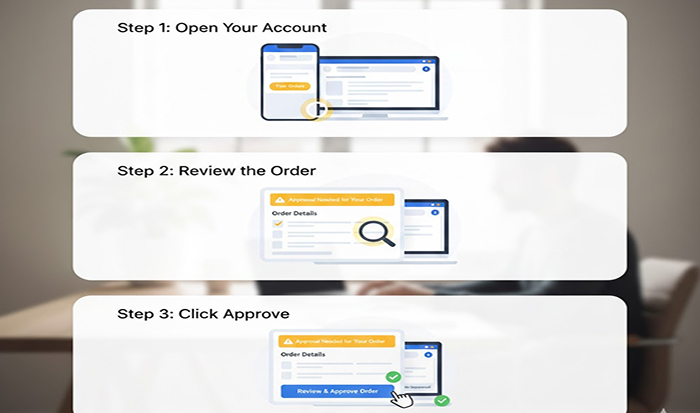
So, how to accept Amazon order requests varies by account type.
For Amazon Business Accounts
- Log in as the administrator or approver
- Go to the Business Analytics or Orders dashboard
- Locate pending approval requests
- Review order details (price, quantity, item)
- Approve or deny the request
For Personal Accounts
- Open your Amazon account
- Check emails or notifications
- Confirm payment or identity if prompted
- Follow on-screen instructions
For Shared Payment Methods
If someone else owns the payment method, they may need to confirm the transaction.
Once approved, the order status updates automatically.
How Long an Amazon Approval Needed Order Usually Takes
The timeline for an approval needed Amazon order depends on the type of approval required.
- Admin approval: Minutes to 24 hours
- Payment verification: A few hours
- Policy or compliance checks: 24–48 hours
- Security reviews: Up to 72 hours in rare cases
Delays usually occur when the approver is unavailable or when additional verification is required.
To avoid long waits
- Ensure approvers check notifications regularly
- Keep payment details updated
- Avoid placing urgent orders near weekends or holidays
Common Mistakes to Avoid

Many users unintentionally slow down the approval process. Avoid these mistakes:
- Cancelling the order too early
- Replacing the order multiple times
- Ignoring approval emails
- Using unauthorized payment methods
- Assuming the issue will resolve automatically
Being proactive ensures faster resolution.
Approval vs Decline: Know the Difference

It sounds like a lot of users assume their order failed when they see an approval needed message from Amazon. As a matter of fact, being approved and declined represent two extremes in reality, and knowing the difference directly will help you react accordingly.
What “Approval Needed” Means
An order, as in approval needed, is temporary hold. It is pending confirmation before Amazon may process it. This is typically because of account permissions, business spending guidelines, or payment verification. The order is live and can go when a green light is given.
Key points:
- The order is not cancelled
- Payment is not charged yet
- The order will proceed after approval
- Action is required from you, an admin, or a payment owner
What “Order Declined” Means
A rejected order is one that Amazon could not process for the completion of the sale. Most often, they fail due to problems with the payment (such as a rejected credit card, invalid billing name/address/zip code, or bank rejection). If an order is rejected, it does not proceed and needs to be resubmitted after the problem is resolved.
Key points:
- The order is stopped completely
- Payment attempt has failed
- The issue must be fixed before reordering
- Approval alone will not resolve it
Why This Difference Matters
If your order needs approval, waiting or completing approval is the FBA solution.
If your order is declined, you must update your payment or account details and place a new order.
Who Usually Needs to Approve the Order?
Depending on the setup, approval may come from:
- A business account administrator
- A finance manager
- A payment method owner
- The account holder
- Amazon’s internal review team
Amazon typically indicates who must approve the order.
How Approval Rules Differ for Business and Personal Accounts
Personal accounts rarely require approval unless security or payment verification is triggered. Business accounts, however, are designed with spending controls.
Business approvals help
- Prevent unauthorized purchases
- Enforce budgets
- Maintain compliance
- Improve expense tracking
These rules benefit organizations by providing accountability and transparency.
Can Approval Affect Delivery and Availability?
Yes, approval delays can affect delivery timelines. Amazon does not reserve effective inventory until approval is completed.
This means
- Items may go out of stock
- Delivery dates may shift
- Price changes can occur
Approving orders promptly minimizes these risks.
Preventing Future Approval Delays

You can reduce future approval interruptions by:
- Reviewing account permissions
- Updating payment organic methods regularly
- Whitelisting trusted devices
- Communicating approval workflows clearly
Proactive management leads to smoother purchasing experiences.
Final Thoughts: What You Should Do Now

A clearance condition on Amazon is not an issue; it’s a form of control. Whether for security, budgeting, or compliance, the goal is to make sure purchases are secure and adequately authorized.
If you encounter an approval message:
- Identify who needs to approve
- Follow the correct steps
- Avoid duplicate actions
- Monitor notifications closely
Once approval is completed, the order proceeds automatically. Understanding this process makes you a more confident shopper and helps you complete purchases without unnecessary stress.
Frequently asked questions
1. Can I speed up the approval process?
Yes, you can often speed up the approval process by taking a few simple steps. First, identify who needs to approve the order—this could be a business admin, payment owner, or account holder. Contact them directly instead of waiting. Make sure all payment details are correct and up to date, and check approval emails or dashboard notifications regularly.
2. Will my item go out of stock during approval?
Yes a product can become out of stock while an order is pending approval. Amazon does not hold inventory and does not process orders until all necessary approvals have been received. If an approval process drags on, availability or delivery dates or pricing may be enmeshed in changes. The faster you approve orders, the less chance of run out or late delivery.
3. Is approval required for every order?
No, approval is not required for every order. Most personal Amazon purchases go through without any approval. Approval is usually triggered for specific situations such as Amazon Business accounts, high-value orders, bulk purchases, shared payment methods, or security checks. Once approvals are completed and account settings are stable, many future orders may proceed without interruption.
4. Does approval mean my account has a problem?
No, an approval requirement does not mean your account has a problem. In most cases, approval is a routine safety measure used by Amazon to control spending, verify payments, or follow account rules. Even well-established accounts can occasionally require approval. Once the approval is completed, the order proceeds normally without affecting your account status.
5. What does “Amazon Approval Needed” mean when listing a product?
It means Amazon requires seller approval before you can list or sell that product, usually because it belongs to a restricted category or brand. You may need to submit invoices, certifications, or meet performance criteria to get approved.


