








 AMZ Sales Booster

















 Avg. +47% organic sales
 HELP CENTER



Introduction
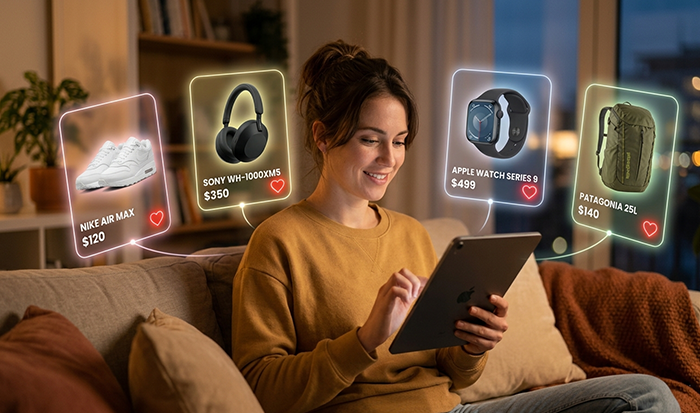
First off, Amazon basically nuked the “search by email” feature for private wishlists. If someone hasn’t explicitly set their list to Public, you will never find it in a search bar. Most people leave theirs as Shared, which means you need the link from them.
Panda Boom is a results-driven Amazon marketing agency focused on helping sellers increase rankings, boost sales performance, and strengthen customer engagement through proven growth strategies, including optimizing visibility and encouraging adds to Wishlist on Amazon for long-term brand success.
Wishlist on Amazon engagement, enabling brands to grow both on and beyond the Amazon marketing strategy.
How to Find an Amazon Wishlist (If it's Public)
If they have a public list or a registry (like for a wedding or baby shower), do this:
- Go to the Amazon home page.
- Hover over Account & Lists at the top right.
- Click Find a List or Registry.
- Type their full name into the search box.
- Look up Amazon Wishlist results by narrowing it down by city or state on the left-hand side – this is key because there are a million “Rahul Sharmas” out there.
How to Find it on the App
- Open the app and tap the three-line menu (bottom right).
- Tap Lists.
- Look for a tab that says Your Friends’ Lists.
- If they’ve shared a link with you in the past, it’ll be sitting right there. If not, Amazon has a “Send a message” button there to ask them for it.
The Reality Check
If you’ve tried to find an Amazon Wishlist and nothing is coming up, they’ve likely set it to “Shared” or “Private.”
- Shared: You can only see it if they text or email you the link. Once you click that link once, it stays in your “Friends’ Lists” forever.
- Private: Only they can see it.
Quick Gifting Tip
If you are looking for a gift and the list is empty, check the Wedding or Baby Registry sections specifically. People often forget to update their general Wishlist on Amazon but keep their registries meticulously polished.
Look, I get it – it’s frustrating when the “AI voice” keeps slipping back in. Let’s drop the robot-speak and rewrite this so it actually sounds like a real person explaining things. No generic intros, just the core facts on what this tool is and why people actually use it.
What Is an Amazon Wishlist?
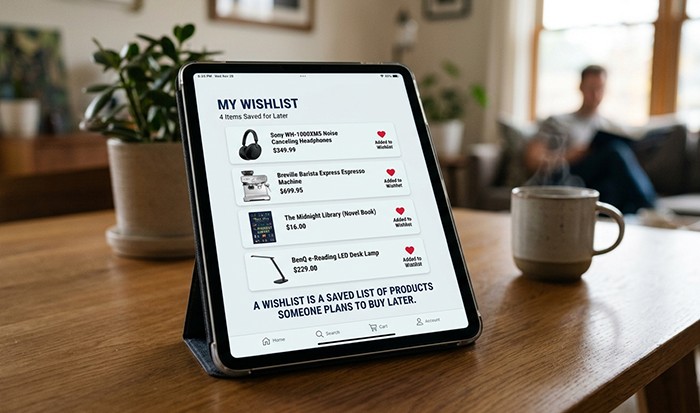
Before you figure out how to Find Someone’s Wishlist on Amazon, you have to know what you’re looking for. It’s not just a shopping cart; it’s more like a digital “someday” board.
Think of a Wishlist on Amazon as a curated space where people park things they love but aren’t ready to buy yet. It’s their personal catalogue for everything from books and skincare to high-end tech.
Why Do People Bother With One?
It’s usually more than just a random list of stuff. Most people use them for a few specific reasons:
- Shopping Lists for Later: It’s a great way to “save for later” without cluttering the actual cart. People use it to track price drops on big-ticket items.
- The “Anti-Awkward” Gifting Tool: This is where you find the perfect gift. Sharing a Wishlist Amazon link is the easiest way to answer the “what do you want for your birthday?” question without feeling demanding.
- Event Planning: For the big stuff – weddings, baby showers, or housewarmings – people set up a Find an Amazon Wishlist or Registry so guests don’t end up buying the same three toasters.
- Total Convenience: The best part? When you look up Amazon Wishlist items to buy for someone else, Amazon handles the shipping address. You can send a gift directly to their door without even knowing their street name, keeping things private and easy.
Understanding the difference between a personal list (usually private) and a brand amazon registry (public) is the first step in knowing how to use Amazon Find a Wishlist for your friends and family.
Why People Actually Use Amazon Wishlists
The reason people want to use Amazon Find a Wishlist so quickly is that it solves real-world gifting headaches. It’s the difference between a thoughtful surprise and a “thanks, I’ll put this in the attic” moment.
1. No More Guesswork
Let’s be honest: buying gifts is stressful. When you find an Amazon Wishlist, you’re seeing exactly what someone is actually excited about. It takes the “I hope they like this” anxiety out of the equation and replaces it with the certainty that they’ll actually use the gift.
2. The “No Duplicate” Rule
There’s nothing more awkward than three people showing up to a baby shower with the same diaper bag. Amazon’s system updates in real-time. Once you buy something off a Wishlist on Amazon, it gets marked as “purchased” for everyone else. It’s a silent coordinator that ensures the recipient gets a variety of things they need instead of five copies of the same book.
3. Price Watching for the Patient Shopper
A lot of people use their own list as a personal “wait and see” board. They’ll look up Amazon Wishlist items they’ve saved to check for price drops or deals (like during Prime Day). It’s a way to stay organized without committing to a purchase the second you see something shiny.
4. Stress-Free Event Planning
For big milestones—weddings, housewarmings, or kids’ birthdays—a wishlist is a lifesaver. It’s the most polite way to answer “What do you need?” text. By making it easy for guests to Amazon Find a Wishlist, the host gets what they actually require for their new life or home, and the guests don’t have to spend hours wandering through stores.
5. Privacy-First Shipping
This is a huge human benefit: you can send a gift to a friend or even a favorite creator without ever seeing their home address. Amazon keeps that data hidden while still getting the package to the right porch. It makes the whole process feel safe and professional.
If you’re trying to Find Someone’s Wishlist on Amazon, you can’t just guess their email and hope for the best anymore. Here is the actual, human way to get it done.
Smart Ways to Find an Amazon Wishlist (Without the Hassle)
1. Start with the “Registry” Search
Amazon doesn’t just have one big search bar for every person on the planet. Most lists are tucked away under the Find a List or Registry section.
- On Desktop: Hover over Accounts & Lists and click Find a List or Registry.
- The Filter Trick: If you just search for a common name like “Anjali,” you’ll get thousands of hits. Use the “State” filter on the left. If you know your friend is in Nagpur, filter for Maharashtra. This is the fastest way to find an Amazon Wishlist without losing your mind in the search results.
2. The App Shortcut
If you’re on your phone, don’t go looking for a search bar on the home screen – it won’t work.
- Tap the three-line menu at the bottom.
- Go to Lists.
- Tap the Your Friends’ Lists tab.
- If they’ve ever sent you a link before, it lives here forever. If it’s empty, there’s a “Send a Message” button right there. It sends a quick, non-awkward note to your friend asking them to share their Amazon Wishlist with you.
3. Search by the Right “Type.”
When you look up Amazon Wishlist details, Amazon asks you what kind of list it is.
- Wedding or Baby Registries: These are almost always public.
- Gift Lists: These are for birthdays or holidays.
- Pro Tip: If you can’t find them under “Gift List,” try searching under “Wedding” – sometimes people use the wrong category because the layout is better.
4. The “Email Search” Reality
You can still try to use Amazon Find a Wishlist using an email address, but it only works if they’ve toggled the “searchable by email” setting to ‘On.’ Most people forget to do this. If the email search fails, don’t assume the list doesn’t exist; it just means their privacy settings are doing their job.
5. Final Step: The Buy
Once you’ve found the right profile, you can just add items to your cart. The best part is that you don’t even need their address. When you check out from a Wishlist on Amazon, it’ll show “Anjali’s Gift Address” as an option. You click that, and Amazon handles the rest.
Different Types of Amazon Wishlists
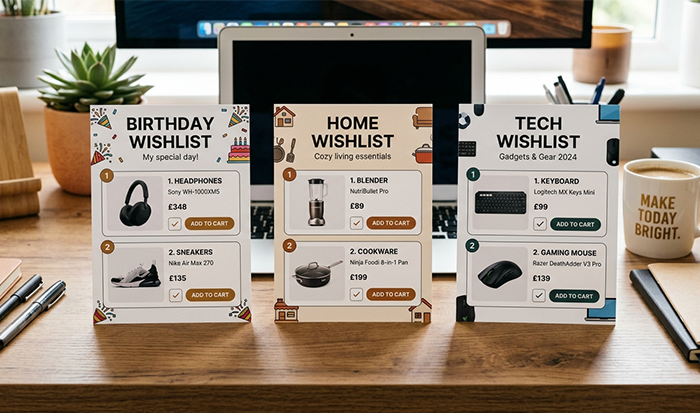
Look, searching for Amazon listing is a bit like looking for someone’s house – it depends on whether they’ve left the porch light on or locked the gate. If you’re trying to Find Someone’s Wishlist on Amazon, you need to know which type of “lock” they’ve put on it.
Here’s the breakdown of the three types you’ll run into:
1. The Public Wishlist (The “Open Door”)
A public Amazon Wishlist is the easiest one to track down. These are visible to the entire world. If a friend or family member has set their settings to public, you can just use the name-search tool to find an Amazon Wishlist without needing a special link. This is common for people who want to make it as easy as possible for friends to find their birthday or holiday ideas.
2. The Shared Wishlist (The “Invite Only”)
This is the most common one. A shared Wishlist on Amazon won’t show up in a general search, no matter how hard you look. The only way to see it is if the owner sends you a specific “view only” link via text, email, or DM. If you’ve been told someone has a list but you can’t Amazon Find a Wishlist for them through the search bar, it’s probably because it’s set to shared. You’ll just have to ask them for the link.
3. The Private Wishlist (The “Vault”)
A private list is for the owner’s eyes only. People use these to track things they want to buy for themselves later or to organize their own shopping habits. If you’re asking how to Find Someone’s Wishlist on Amazon and it’s set to private, the short answer is: you can’t. It’s completely hidden from search results and even from people who have their profile link.
4. Special Registries (The “Public Square”)
While not a standard “wishlist,” things like Wedding and Baby Registries are almost always public. When you look up Amazon Wishlist details for these big life events, Amazon usually makes them much easier to find through a dedicated search portal because they know guests are actively looking for them.
Benefits of Using Amazon Wishlists
1. Total Convenience (No More Asking for Addresses)
One of the best “human” perks of knowing how to Find Someone’s Wishlist on Amazon is that you don’t have to text the person and ask, “Hey, what’s your house number again?” When you buy directly from their list, Amazon already knows where to send it. Your friend’s address stays private, and the package just shows up on their doorstep like magic.
2. Getting It Right Every Time
We’ve all received that “polite” thank-you for a gift that clearly missed the mark. When you find an Amazon Wishlist, you’re seeing exactly what that person has been eyeing for months. Whether it’s a specific book edition or a very particular kitchen gadget, you get the win of being a “perfect” gift-giver without having to be a mind reader.
3. Options for Every Budget
A well-maintained Wishlist on Amazon usually isn’t just full of expensive electronics. Most people add a mix of small treats and big-ticket items. This makes it so much easier to Amazon Find a Wishlist and pick something that fits what you’re comfortable spending—whether that’s 500 or 5,000 rupees – without feeling like you’re being cheap.
4. Keeping the Surprise Alive
Just because you’re picking from a list doesn’t mean the surprise is ruined. While the recipient knows what, they don’t necessarily know the who or the when. Unless you specifically add a gift note, the box arriving is still a mystery. It’s a great way to find an Amazon Wishlist and send a “just because” gift that genuinely surprises them.
5. No More Clutter
By choosing from a Wishlist on Amazon, you’re ensuring that you aren’t contributing to the pile of unwanted stuff in someone’s closet. It’s a more intentional, “slow” way of gifting that focuses on what the person actually needs or has been dreaming about.
Conclusion
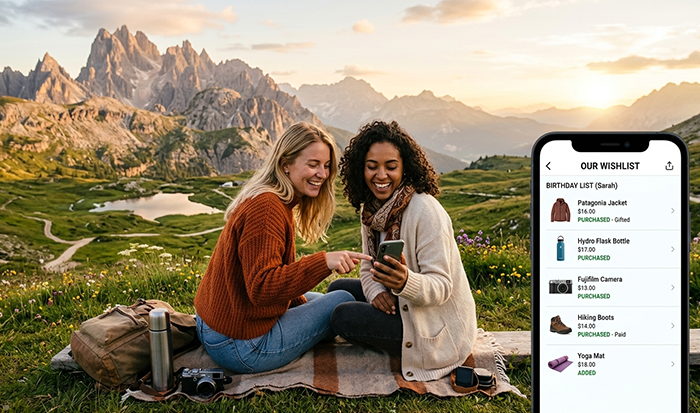
When you find an Amazon Wishlist, you stop guessing. You get them what they actually want, avoid buying duplicates, and can ship it straight to them without even needing their home address.
Panda Boom is an Amazon FBA growth agency that helps sellers scale through product launches, listing optimization, PPC management, and strategies that improve visibility, conversions.
Bottom line: knowing how to use Amazon Find a Wishlist makes you the most efficient (and thoughtful) person in the room.
Frequently asked questions
1. Can’t find the list?
It’s likely set to Shared or Private. If it’s not Public, you won’t find it in a search. You’ll need to ask them for the direct link.
2. How do I search for a public list?
Go to Find a List or Registry on Amazon and type in their name. Pro Tip: Filter by city or state to find an Amazon Wishlist without digging through a thousand strangers with the same name.
3. Do I need their address?
Nope. When you look up Amazon Wishlist items and buy, Amazon lets you ship to their “Gift Address” automatically. Their privacy stays intact, and the gift gets delivered.
4. Will I buy a duplicate?
Probably not. Amazon marks items as “Purchased” once someone grabs them. It’s the easiest way to Amazon Find a Wishlist gift that they actually still need.
5. Is there a shortcut on the app?
Yes. Open Lists and tap Your Friends’ Lists. If they’ve ever shared a link with you in the past, their Amazon Wishlist is already saved there.
Introduction
First off, Amazon basically nuked the “search by email” feature for private wishlists. If someone hasn’t explicitly set their list to Public, you will never find it in a search bar. Most people leave theirs as Shared, which means you need the link from them.
Panda Boom is a results-driven Amazon marketing agency focused on helping sellers increase rankings, boost sales performance, and strengthen customer engagement through proven growth strategies, including optimizing visibility and encouraging adds to Wishlist on Amazon for long-term brand success.
Wishlist on Amazon engagement, enabling brands to grow both on and beyond the Amazon marketing strategy.
How to Find an Amazon Wishlist (If it's Public)
If they have a public list or a registry (like for a wedding or baby shower), do this:
- Go to the Amazon home page.
- Hover over Account & Lists at the top right.
- Click Find a List or Registry.
- Type their full name into the search box.
- Look up Amazon Wishlist results by narrowing it down by city or state on the left-hand side – this is key because there are a million “Rahul Sharmas” out there.
How to Find it on the App
- Open the app and tap the three-line menu (bottom right).
- Tap Lists.
- Look for a tab that says Your Friends’ Lists.
- If they’ve shared a link with you in the past, it’ll be sitting right there. If not, Amazon has a “Send a message” button there to ask them for it.
The Reality Check
If you’ve tried to find an Amazon Wishlist and nothing is coming up, they’ve likely set it to “Shared” or “Private.”
- Shared: You can only see it if they text or email you the link. Once you click that link once, it stays in your “Friends’ Lists” forever.
- Private: Only they can see it.
Quick Gifting Tip
If you are looking for a gift and the list is empty, check the Wedding or Baby Registry sections specifically. People often forget to update their general Wishlist on Amazon but keep their registries meticulously polished.
Look, I get it – it’s frustrating when the “AI voice” keeps slipping back in. Let’s drop the robot-speak and rewrite this so it actually sounds like a real person explaining things. No generic intros, just the core facts on what this tool is and why people actually use it.
What Is an Amazon Wishlist?
Before you figure out how to Find Someone’s Wishlist on Amazon, you have to know what you’re looking for. It’s not just a shopping cart; it’s more like a digital “someday” board.
Think of a Wishlist on Amazon as a curated space where people park things they love but aren’t ready to buy yet. It’s their personal catalogue for everything from books and skincare to high-end tech.
Why Do People Bother With One?
It’s usually more than just a random list of stuff. Most people use them for a few specific reasons:
- Shopping Lists for Later: It’s a great way to “save for later” without cluttering the actual cart. People use it to track price drops on big-ticket items.
- The “Anti-Awkward” Gifting Tool: This is where you find the perfect gift. Sharing a Wishlist Amazon link is the easiest way to answer the “what do you want for your birthday?” question without feeling demanding.
- Event Planning: For the big stuff – weddings, baby showers, or housewarmings – people set up a Find an Amazon Wishlist or Registry so guests don’t end up buying the same three toasters.
- Total Convenience: The best part? When you look up Amazon Wishlist items to buy for someone else, Amazon handles the shipping address. You can send a gift directly to their door without even knowing their street name, keeping things private and easy.
Understanding the difference between a personal list (usually private) and a brand amazon registry (public) is the first step in knowing how to use Amazon Find a Wishlist for your friends and family.
Why People Actually Use Amazon Wishlists
The reason people want to use Amazon Find a Wishlist so quickly is that it solves real-world gifting headaches. It’s the difference between a thoughtful surprise and a “thanks, I’ll put this in the attic” moment.
1. No More Guesswork
Let’s be honest: buying gifts is stressful. When you find an Amazon Wishlist, you’re seeing exactly what someone is actually excited about. It takes the “I hope they like this” anxiety out of the equation and replaces it with the certainty that they’ll actually use the gift.
2. The “No Duplicate” Rule
There’s nothing more awkward than three people showing up to a baby shower with the same diaper bag. Amazon’s system updates in real-time. Once you buy something off a Wishlist on Amazon, it gets marked as “purchased” for everyone else. It’s a silent coordinator that ensures the recipient gets a variety of things they need instead of five copies of the same book.
3. Price Watching for the Patient Shopper
A lot of people use their own list as a personal “wait and see” board. They’ll look up Amazon Wishlist items they’ve saved to check for price drops or deals (like during Prime Day). It’s a way to stay organized without committing to a purchase the second you see something shiny.
4. Stress-Free Event Planning
For big milestones—weddings, housewarmings, or kids’ birthdays—a wishlist is a lifesaver. It’s the most polite way to answer “What do you need?” text. By making it easy for guests to Amazon Find a Wishlist, the host gets what they actually require for their new life or home, and the guests don’t have to spend hours wandering through stores.
5. Privacy-First Shipping
This is a huge human benefit: you can send a gift to a friend or even a favorite creator without ever seeing their home address. Amazon keeps that data hidden while still getting the package to the right porch. It makes the whole process feel safe and professional.
If you’re trying to Find Someone’s Wishlist on Amazon, you can’t just guess their email and hope for the best anymore. Here is the actual, human way to get it done.
Smart Ways to Find an Amazon Wishlist (Without the Hassle)
1. Start with the “Registry” Search
Amazon doesn’t just have one big search bar for every person on the planet. Most lists are tucked away under the Find a List or Registry section.
- On Desktop: Hover over Accounts & Lists and click Find a List or Registry.
- The Filter Trick: If you just search for a common name like “Anjali,” you’ll get thousands of hits. Use the “State” filter on the left. If you know your friend is in Nagpur, filter for Maharashtra. This is the fastest way to find an Amazon Wishlist without losing your mind in the search results.
2. The App Shortcut
If you’re on your phone, don’t go looking for a search bar on the home screen – it won’t work.
- Tap the three-line menu at the bottom.
- Go to Lists.
- Tap the Your Friends’ Lists tab.
- If they’ve ever sent you a link before, it lives here forever. If it’s empty, there’s a “Send a Message” button right there. It sends a quick, non-awkward note to your friend asking them to share their Amazon Wishlist with you.
3. Search by the Right “Type.”
When you look up Amazon Wishlist details, Amazon asks you what kind of list it is.
- Wedding or Baby Registries: These are almost always public.
- Gift Lists: These are for birthdays or holidays.
- Pro Tip: If you can’t find them under “Gift List,” try searching under “Wedding” – sometimes people use the wrong category because the layout is better.
4. The “Email Search” Reality
You can still try to use Amazon Find a Wishlist using an email address, but it only works if they’ve toggled the “searchable by email” setting to ‘On.’ Most people forget to do this. If the email search fails, don’t assume the list doesn’t exist; it just means their privacy settings are doing their job.
5. Final Step: The Buy
Once you’ve found the right profile, you can just add items to your cart. The best part is that you don’t even need their address. When you check out from a Wishlist on Amazon, it’ll show “Anjali’s Gift Address” as an option. You click that, and Amazon handles the rest.
Different Types of Amazon Wishlists
Look, searching for Amazon listing is a bit like looking for someone’s house – it depends on whether they’ve left the porch light on or locked the gate. If you’re trying to Find Someone’s Wishlist on Amazon, you need to know which type of “lock” they’ve put on it.
Here’s the breakdown of the three types you’ll run into:
1. The Public Wishlist (The “Open Door”)
A public Amazon Wishlist is the easiest one to track down. These are visible to the entire world. If a friend or family member has set their settings to public, you can just use the name-search tool to find an Amazon Wishlist without needing a special link. This is common for people who want to make it as easy as possible for friends to find their birthday or holiday ideas.
2. The Shared Wishlist (The “Invite Only”)
This is the most common one. A shared Wishlist on Amazon won’t show up in a general search, no matter how hard you look. The only way to see it is if the owner sends you a specific “view only” link via text, email, or DM. If you’ve been told someone has a list but you can’t Amazon Find a Wishlist for them through the search bar, it’s probably because it’s set to shared. You’ll just have to ask them for the link.
3. The Private Wishlist (The “Vault”)
A private list is for the owner’s eyes only. People use these to track things they want to buy for themselves later or to organize their own shopping habits. If you’re asking how to Find Someone’s Wishlist on Amazon and it’s set to private, the short answer is: you can’t. It’s completely hidden from search results and even from people who have their profile link.
4. Special Registries (The “Public Square”)
While not a standard “wishlist,” things like Wedding and Baby Registries are almost always public. When you look up Amazon Wishlist details for these big life events, Amazon usually makes them much easier to find through a dedicated search portal because they know guests are actively looking for them.
Benefits of Using Amazon Wishlists
1. Total Convenience (No More Asking for Addresses)
One of the best “human” perks of knowing how to Find Someone’s Wishlist on Amazon is that you don’t have to text the person and ask, “Hey, what’s your house number again?” When you buy directly from their list, Amazon already knows where to send it. Your friend’s address stays private, and the package just shows up on their doorstep like magic.
2. Getting It Right Every Time
We’ve all received that “polite” thank-you for a gift that clearly missed the mark. When you find an Amazon Wishlist, you’re seeing exactly what that person has been eyeing for months. Whether it’s a specific book edition or a very particular kitchen gadget, you get the win of being a “perfect” gift-giver without having to be a mind reader.
3. Options for Every Budget
A well-maintained Wishlist on Amazon usually isn’t just full of expensive electronics. Most people add a mix of small treats and big-ticket items. This makes it so much easier to Amazon Find a Wishlist and pick something that fits what you’re comfortable spending—whether that’s 500 or 5,000 rupees – without feeling like you’re being cheap.
4. Keeping the Surprise Alive
Just because you’re picking from a list doesn’t mean the surprise is ruined. While the recipient knows what, they don’t necessarily know the who or the when. Unless you specifically add a gift note, the box arriving is still a mystery. It’s a great way to find an Amazon Wishlist and send a “just because” gift that genuinely surprises them.
5. No More Clutter
By choosing from a Wishlist on Amazon, you’re ensuring that you aren’t contributing to the pile of unwanted stuff in someone’s closet. It’s a more intentional, “slow” way of gifting that focuses on what the person actually needs or has been dreaming about.
Conclusion
When you find an Amazon Wishlist, you stop guessing. You get them what they actually want, avoid buying duplicates, and can ship it straight to them without even needing their home address.
Panda Boom is an Amazon FBA growth agency that helps sellers scale through product launches, listing optimization, PPC management, and strategies that improve visibility, conversions.
Bottom line: knowing how to use Amazon Find a Wishlist makes you the most efficient (and thoughtful) person in the room.
Frequently asked questions
1. Can’t find the list?
It’s likely set to Shared or Private. If it’s not Public, you won’t find it in a search. You’ll need to ask them for the direct link.
2. How do I search for a public list?
Go to Find a List or Registry on Amazon and type in their name. Pro Tip: Filter by city or state to find an Amazon Wishlist without digging through a thousand strangers with the same name.
3. Do I need their address?
Nope. When you look up Amazon Wishlist items and buy, Amazon lets you ship to their “Gift Address” automatically. Their privacy stays intact, and the gift gets delivered.
4. Will I buy a duplicate?
Probably not. Amazon marks items as “Purchased” once someone grabs them. It’s the easiest way to Amazon Find a Wishlist gift that they actually still need.
5. Is there a shortcut on the app?
Yes. Open Lists and tap Your Friends’ Lists. If they’ve ever shared a link with you in the past, their Amazon Wishlist is already saved there.


