






 Help Center



- You’re Getting the Clicks. So, Why Aren’t You Getting the Sales?
- Is This You? Quick Self-Diagnosis
- Why You’re Getting Clicks but No Sales: The Real Causes
- What a Low Conversion Rate Is Actually Costing You
- How to Fix High CTR with Low Conversion on Amazon: The Three-Step Framework
- What Most Sellers Miss About Amazon Conversion Optimization
- When DIY Amazon Conversion Optimization Stops Making Sense
- Frequently asked questions
- Conclusion
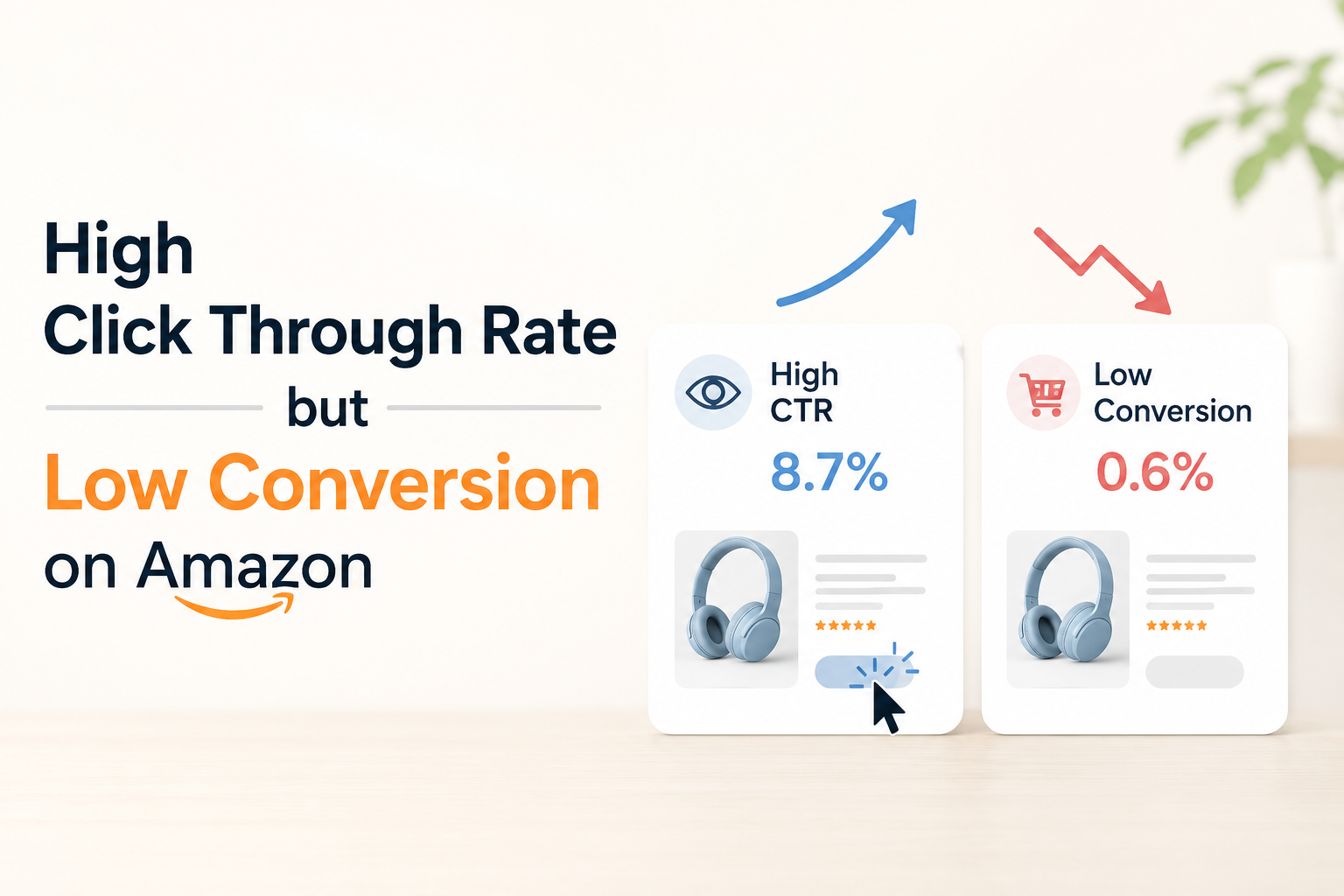
You're Getting the Clicks. So, Why Aren't You Getting the Sales?
You’ve done the hard part. Your product is showing up. Shoppers are seeing it, clicking on it, and landing on your page. But then… nothing. They leave. The sale doesn’t happen. If you’re dealing with a high click-through rate but low conversion rate on Amazon, you’re not alone, and you’re not imagining it.
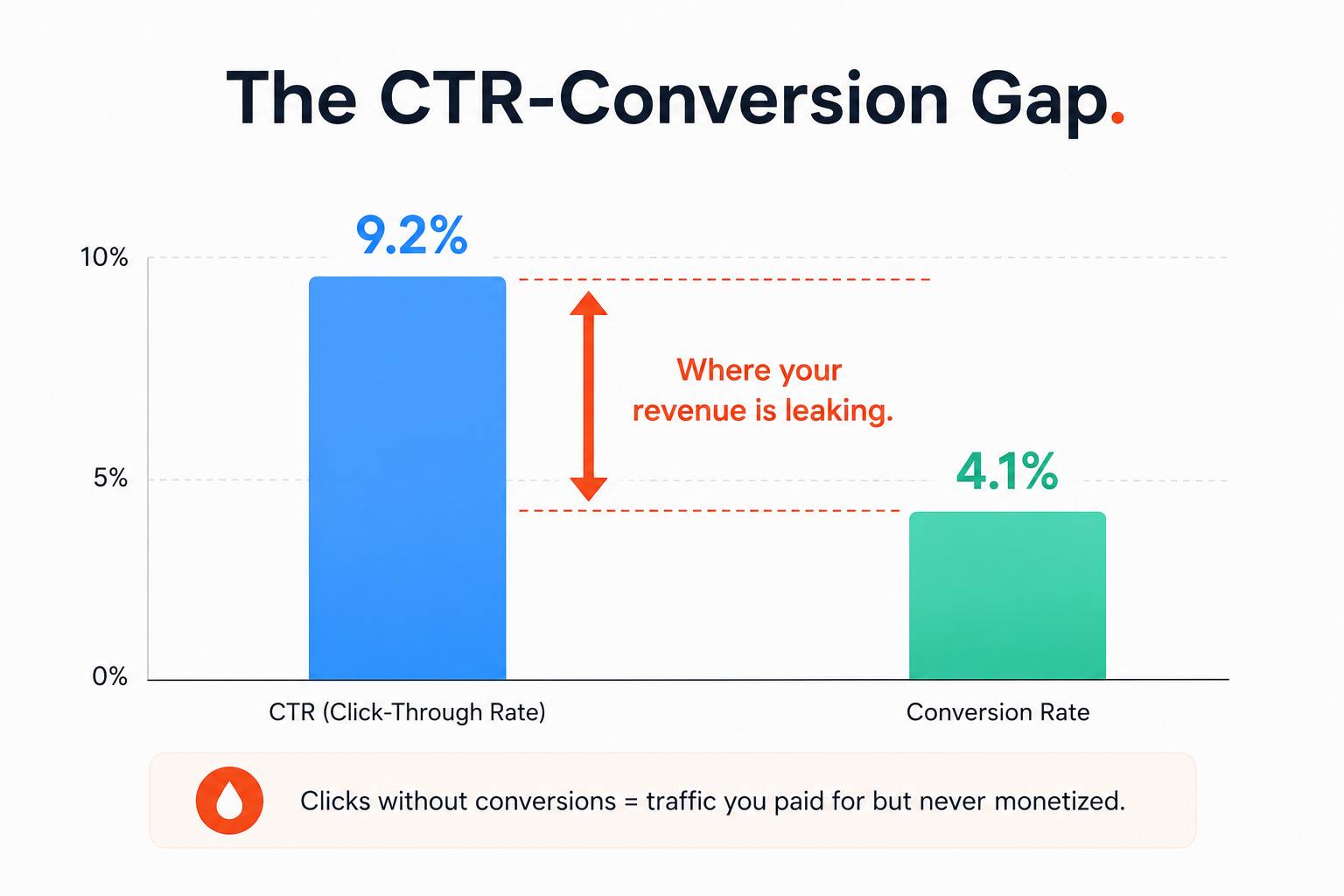
This is one of the most frustrating positions to be in as a seller. Your PPC is working. Your SEO is working. But your revenue isn’t keeping up, and your ACOS is quietly climbing. The problem isn’t traffic. The problem is what happens after the click.
This guide breaks down exactly why Amazon clicks, but no sales are happening on your listing, what’s causing shoppers to leave without buying, and the specific fixes that turn that CTR into actual conversions.
Is This You? Quick Self-Diagnosis
If you’re getting clicks but no sales on Amazon, at least a few of these probably describe your last 30 days:
- Your unit session percentage is below 8%, even though your sessions are steady or growing
- Your PPC campaigns have good CTR, but your ACOS keeps climbing
- Shoppers are landing on your page, but your add-to-cart rate is low
- You’ve got decent reviews and a competitive price, but conversion still lags
- You refreshed your bullet points or title, and nothing moved
- Your main image looks fine to you, but it’s not converting in the search results
- Customers are adding to the cart but not completing the purchase
If two or more of those hit close to home, keep reading. The cause is usually one of four things, and they each need a different fix.
Why You're Getting Clicks but No Sales: The Real Causes
The biggest mistake sellers make here is treating a conversion problem like a traffic problem. More PPC spend won’t fix it. More keywords won’t fix it. You need to find the specific reason shoppers are leaving, and that reason almost always comes down to one of these four causes.
Cause 1: Your Main Image Wins the Click but Loses the Sale
Your main image got clicked. That’s great. But what shoppers see when they land on your page, and how your listing looks next to competitors in the search results, are two different things.
A main image that’s good enough to drive a 7-8% CTR can still fail to convert if it doesn’t clearly communicate the product’s size, use, or quality. If a shopper clicks and then can’t immediately understand what they’re buying, they’re gone in 10 seconds.
The fix isn’t always a completely new image. Sometimes it’s the secondary images that close the sale. If your image stack doesn’t answer the buyer’s top questions (How big is it? What does it come with? Does it actually work for my use case?), that’s where you’re losing them.
Pro Tip: Look at your listing as a buyer would. Open the product page on mobile. The first three images decide whether a shopper scrolls further or hits back. If your second and third images look like extra versions of the first one, they’re not doing their job.
Cause 2: Your Price Isn’t Competitive Enough (or Too Cheap)
Amazon’s pricing strategy affects conversion in two directions. Too high, and you lose buyers to cheaper competitors. Too low, and you trigger a trust problem where shoppers assume the product is low quality.
If you’re not in the Amazon Buy Box consistently, that’s your first conversion killer. Losing the Buy Box means losing the default add-to-cart path. Shoppers rarely scroll down to find other offers.
Beyond the Buy Box, check where your price sits relative to the top 3 competitors in your search results. If you’re more than 15-20% higher without a clear reason visible on the listing, conversion will suffer. Shoppers make that comparison in seconds.
Cause 3: Your Listing Doesn’t Build Enough Trust
Trust is the invisible factor in Amazon conversion rate optimization. Shoppers can’t touch, smell, or try your product. Everything they know about it comes from your listing. And they’re making a buy-or-leave decision in under 90 seconds.
Common trust gaps that kill conversions include:
- Star rating below 4.3 (shoppers filter by this without thinking about it)
- Fewer than 25-30 reviews (not enough social proof for an uncertain buyer)
- Bullet points that list features instead of solving problems
- A+ content that’s generic or looks like a template
- No clear answer to the top buyer objections in your category
Your listing images should do double duty: show the product AND remove the top reasons someone wouldn’t buy. If you don’t know what those objections are, read your 3-star reviews. They’ll tell you exactly what’s making people hesitant.
Cause 4: Your Listing Attracts the Wrong Buyers
This is the most overlooked cause of high CTR and low conversion on Amazon, and it’s also the easiest to miss because everything looks fine on the surface.
If your title or main image is optimized for broad traffic, you’ll get clicks from shoppers who don’t actually want what you’re selling. A dog bed listing that shows up for “pet furniture” will get clicks from people looking for cat trees. A protein powder listing that ranks for “health supplements” will attract window shoppers, not buyers.
Mismatched traffic is a keyword targeting problem masquerading as a conversion problem. The fix isn’t more trust signals. It’s refining who your listing attracts in the first place.
What a Low Conversion Rate Is Actually Costing You
Here’s the math most sellers don’t run. Say you’re getting 1,500 sessions per month. At a 4% conversion rate, that’s 60 orders. At a 12% conversion rate (Amazon Prime member average), that’s 180 orders. Same traffic. Three times the revenue.
That’s not a hypothetical. That’s the real difference between a listing with a trust problem and one without it. And the compounding piece makes it worse: a listing converting at 4% loses organic rank over time because Amazon’s algorithm reads low conversion as weak demand. Your rank slips, your sessions drop, and you end up spending more on PPC to make up for it.
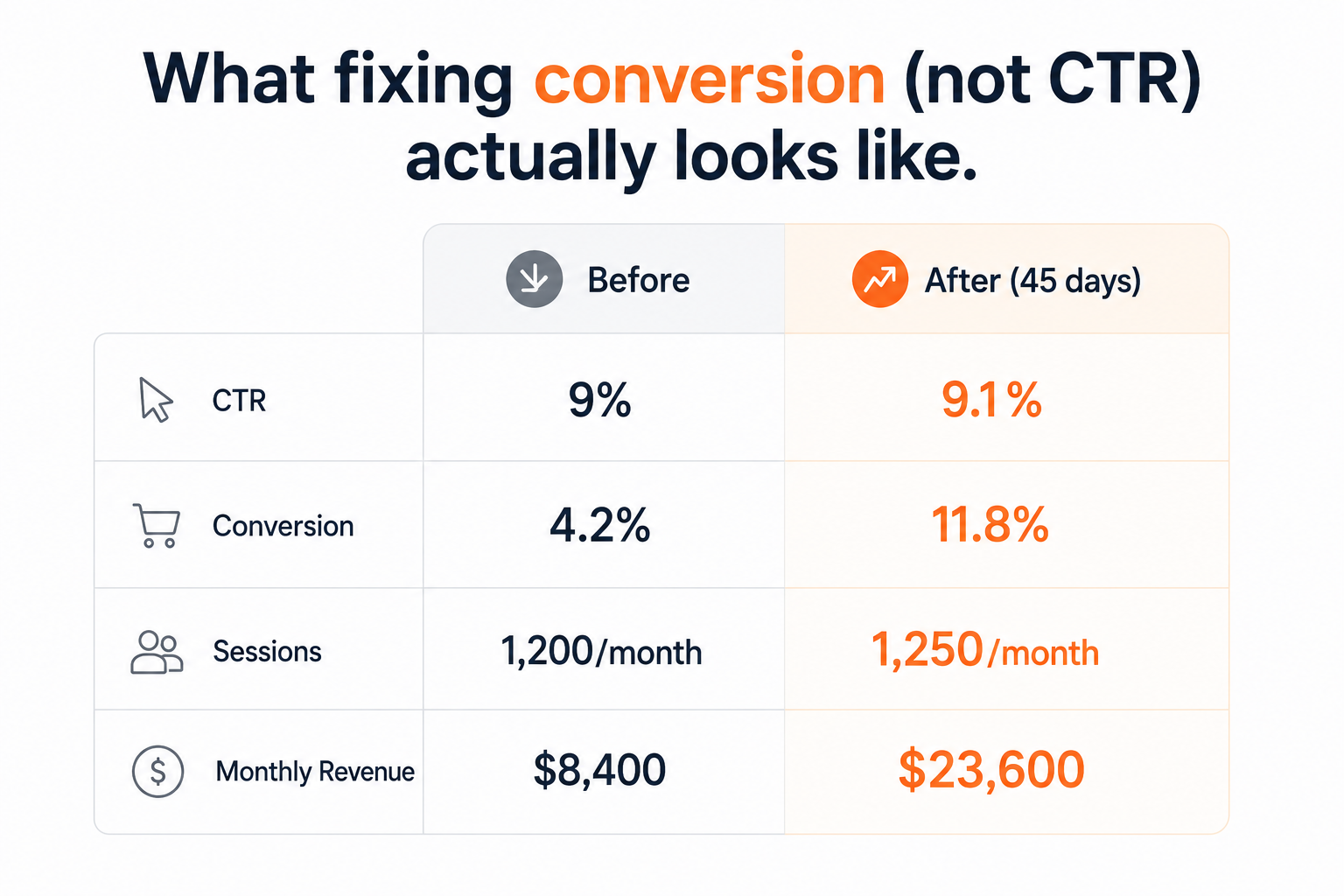
The longer the problem sits, the harder it is to recover. A 90-day window of low conversion means 90 days of rank decay, 90 days of margin compression from over-indexed PPC, and 90 days of lost compounding revenue you won’t get back.
How to Fix High CTR with Low Conversion on Amazon: The Three-Step Framework
There’s no universal checklist for this. The right fix depends on your specific conversion gap. Here’s the sequence that works.
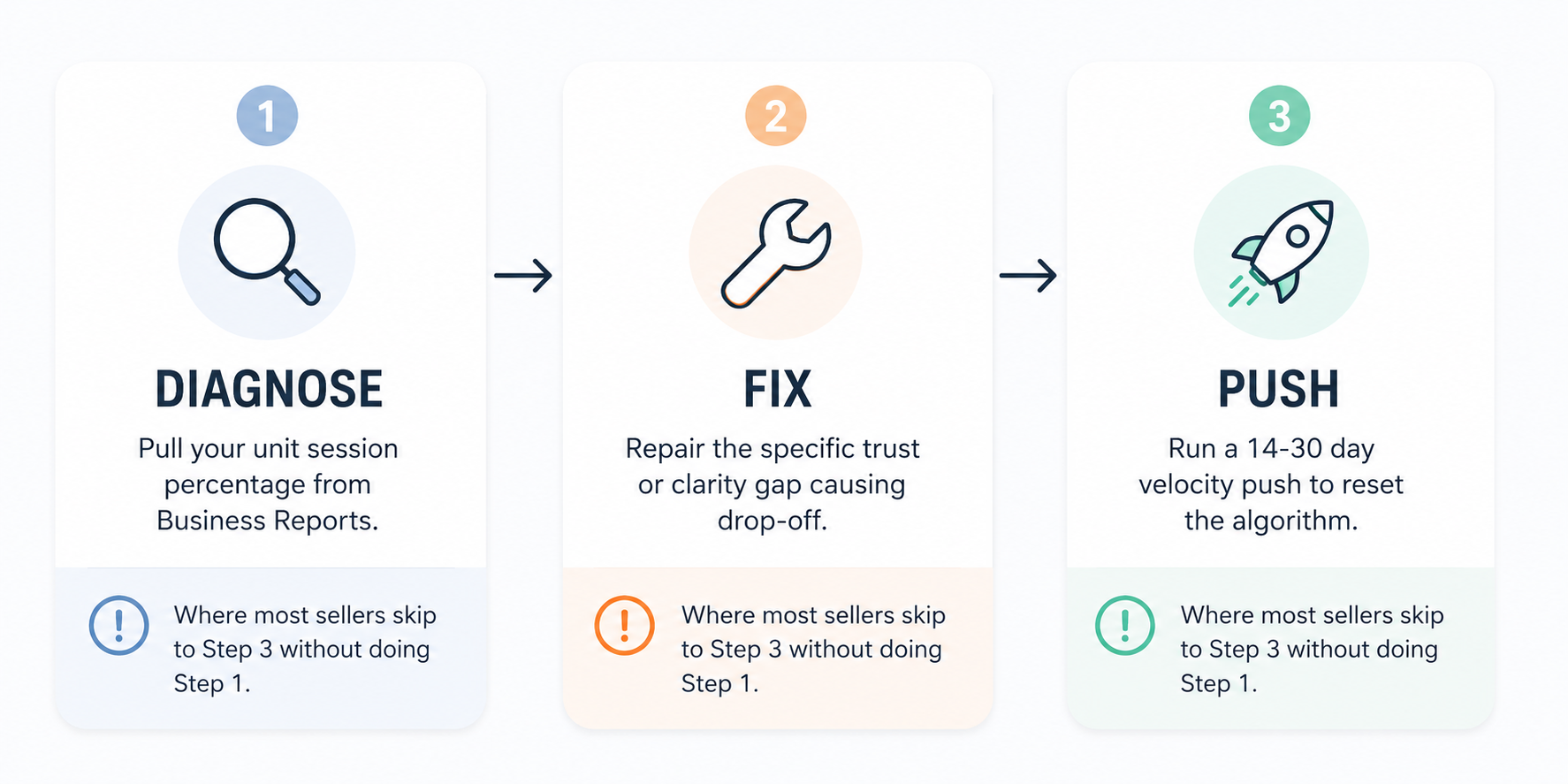
Step 1: Diagnose Your Actual Conversion Rate
Before you change anything, get the real number. Open your Seller Central Business Reports and pull the Detail Page Sales and Traffic by Child Item report for the last 60 days.
The metric you want is Unit Session Percentage. This is your true conversion rate on Amazon: orders divided by sessions. Compare it to the same 60-day window three months ago.
If it’s below 8%, you have a real conversion problem. If it dropped more than 3 percentage points in the last 90 days, something specific changed (a new competitor, a review shift, a price move). Knowing the trend matters as much as knowing the number.
Step 2: Fix the Specific Trust or Clarity Gap
This is where most sellers go wrong. They rebuild the whole listing when only one or two elements are causing the drop. Don’t do that. Fix what’s broken.
If your images are the issue: The main image and the first two secondary images are doing 80% of the conversion work. A stale main image next to a fresher competitor loses the sale before the shopper reads a single word. Test a new main image focused on clarity and quality before touching anything else.
If trust signals are the issue: Get your review count above 30 and your star rating above 4.3 before spending more on PPC. Nothing else moves the needle as reliably. Use Amazon’s Request a Review button on every eligible order.
If the listing copy is the issue: Rewrite your bullet points to lead with outcomes, not features. ‘Ships in 24 hours’ is a feature. ‘Arrives before the weekend so you’re not scrambling at the last minute’ is a benefit. Buyers convert on benefits.
If pricing is the issue: Check your Buy Box ownership percentage first. Then check whether your price is within 15% of your top three competitors. If you’re priced higher, your listing needs to visually justify the gap through images and copy.
Amazon listing optimization service
Step 3: Run a Short Velocity Push to Reset the Algorithm
Once you’ve fixed the core issue, you need to signal to Amazon that the listing is converting again. The algorithm doesn’t reward a better listing in isolation. It rewards a listing that’s converting faster than the competition.
For 14-30 days after your fix, tighten your PPC bids on your top 3-5 converting keywords, run a small price promotion (10-15% off is enough), and consider a modest external traffic burst to push sessions up.
The goal isn’t just more sales. The goal is a conversion rate that looks like it’s accelerating, not recovering. That’s the signal that gets your organic rank moving again.
What Most Sellers Miss About Amazon Conversion Optimization
Insight 1: The Conversion Rate Threshold Effect
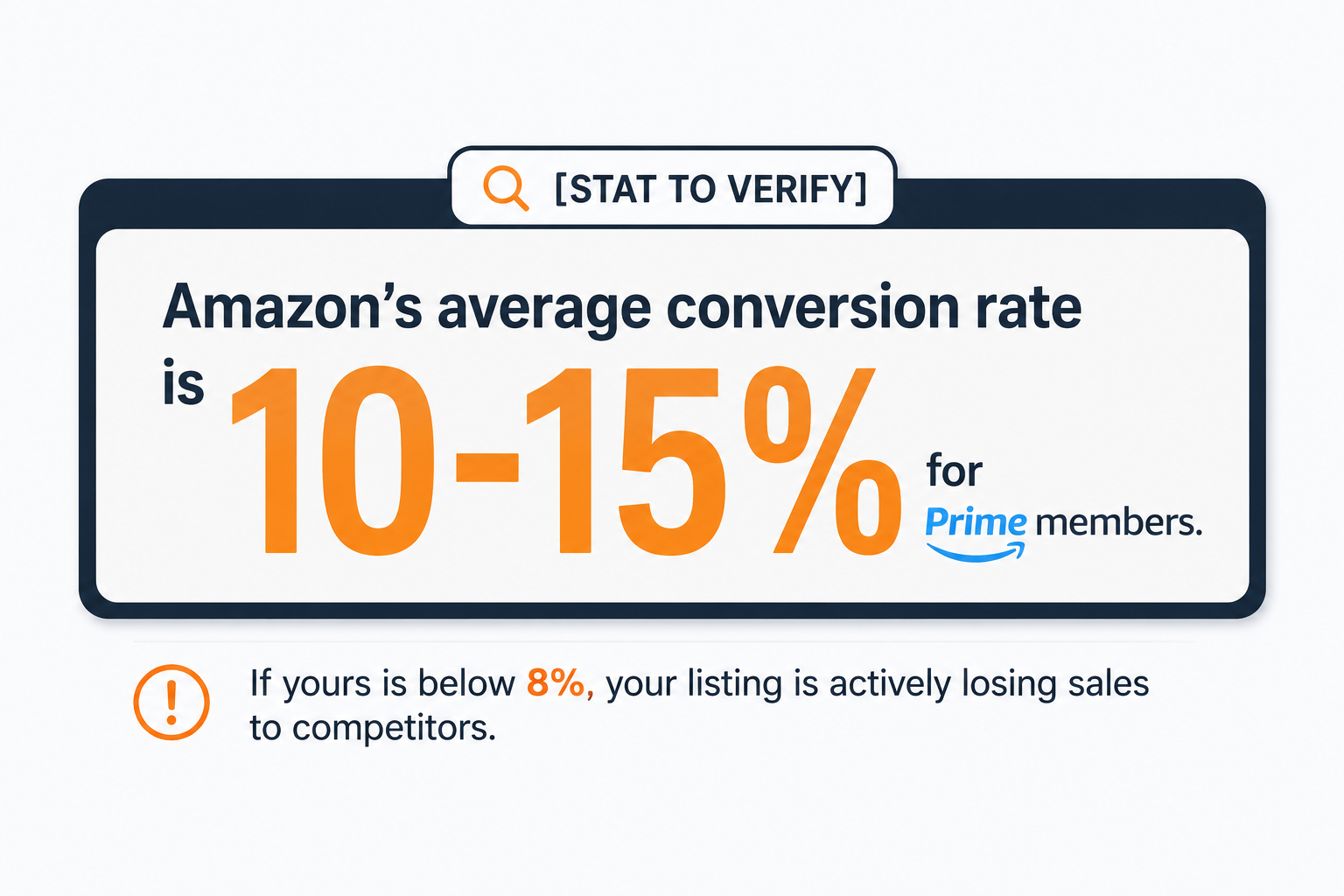
Amazon’s algorithm doesn’t treat all conversion rates equally. In most categories, listings converting below 8% get gradually demoted in organic rank. Listings between 10-15% hold their position. Listings above 15% get a meaningful ranking boost.
That means the difference between 7.5% and 10.5% conversion is not just 3 percentage points. It’s potentially two ranking tiers. If you’re sitting at 7-9%, getting to 11% is worth more than getting from 11% to 15%. Know which side of the threshold you’re on before you decide how urgently to act.
Insight 2: Your Images Are Compared, Not Viewed in Isolation
Shoppers don’t evaluate your listing in isolation. They evaluate it against whatever else appeared in the same search result. Your main image isn’t competing against your old main image. It’s competing against the three thumbnails sitting next to it right now.
Open an incognito browser, search your primary keyword, and actually look at your thumbnail next to your top 3 competitors. Does yours look older, cheaper, or less clear? That’s your conversion problem. One updated main image can lift conversion 15-25% on a tired listing.
When DIY Amazon Conversion Optimization Stops Making Sense
If you’re doing more than $30k per month, the cost of a low conversion rate compounds faster than most sellers realize. A three-point drop in unit session percentage at that volume is often $8,000-15,000 per month in lost revenue, and that loss accelerates as your organic rank slips.
The fix sequence above works. But running it correctly, meaning diagnosing the right cause, making the right image and copy changes, and timing the velocity push properly, requires both analytical work and creative execution. Most sellers can diagnose the problem. Executing the fix while managing everything else in the business is where it gets expensive.
Frequently asked questions
1. Why is my Amazon listing getting clicks but no sales?
Usually due to weak trust signals (reviews, images, copy), uncompetitive pricing, or attracting the wrong shoppers through keyword targeting.
2. What is a good conversion rate on Amazon?
5–10% is typical for non-Prime traffic, while 10–15% is a strong benchmark for Prime-eligible listings. Below 8% may indicate a conversion issue.
3. Does pricing affect Amazon conversion rates?
Yes. Competitive pricing boosts conversions and helps maintain Buy Box ownership, both of which directly impact sales.
4. What causes high CTR but low conversions on Amazon?
Your title or main image gets clicks, but the product page fails to convince buyers due to weak images, poor copy, low reviews, or pricing concerns.
5. How long does it take to improve Amazon conversion rates?
Listing updates often show results within 1–2 weeks, while review-related improvements typically take 1–2 months.
Conclusion
A high click-through rate with low conversion on Amazon is a solvable problem. It just needs the right diagnosis before the right fix. Pull your unit session percentage, identify whether the drop-off is happening because of images, pricing, trust signals, or wrong-audience traffic, then fix that one thing before rebuilding everything else.
Clicks are attention. Conversion is trust. If shoppers are clicking and leaving, your listing has earned their curiosity but not their confidence. That’s fixable.


